Everyone books with an AI agent. How is AgendaWPP different?
In who closes the booking. Almost the whole market books by chatting: your client types, an AI agent interprets what they meant and the agent decides the time slot. AgendaWPP closes with a form that opens inside the chat, like a small app: your client taps a button, sees each professional's real calendar and picks there, without leaving WhatsApp. We did not invent it — it is an official Meta feature, and Meta calls it WhatsApp Flows.
This is not a difference of style, it is measurable:
• Nothing is made up. Availability comes from your Google Calendar, not from a generated answer. A form never books a slot you do not have and never gets a price wrong.
• It costs less per booking. Booking by chat burns 6 to 8 messages; the form uses 2. From 1 October 2026 Meta charges for service messages beyond the 1,000 free per number per month, so at 200 bookings a month the gap is already tens of dollars.
• Your client taps, does not type. Service, professional, day and time in seconds, with no typing and no waiting for replies.
And yes, we also set up the AI assistant for you: it chats, answers questions, filters out people who are only asking and carries the client to that form. The AI attends; the form closes. That is why we are not one more AI agent.
If you would rather see it next to the other options — the separate app, the link to a booking site and the bot that books by chatting — here are the four ways to book by WhatsApp, with the upside and the downside of each.
What is AgendaWPP?
AgendaWPP is an automatic appointment booking system for WhatsApp. It uses WhatsApp Flows — Meta's official technology — so your clients book, reschedule or cancel inside the same chat, synced with Google Calendar in real time.
Built for barbershops, clinics, salons, practices and any professional who books appointments over WhatsApp.
How much does AgendaWPP cost?
It depends on whether you want the AI assistant or just the form.
With the AI assistant (the complete one): Solo $79 with 500 conversations included, Business $99 with 1,000 and Team $129 with 1,500, per month — plus USD 200 setup, one-off. The AI model is inside that monthly fee.
Just the form, so people book without writing to you and with no setup fee: $29 (1 professional), $49 (up to 5) and $79 (up to 15) per month, launch prices valid until December 31, 2026 (regular $39, $69 and $99).
Pay yearly and get 2 months free. Setup and WhatsApp connection are included and there are no contracts.
What exactly am I paying for with the plan?
Two concrete things:
1. The setup of your WhatsApp Flows, which is Meta's official form: with your logo, your services with price and duration, your professionals and your hours, connected to your number on the official API.
2. The CRM that triggers that form and keeps your calendar running: it sends the form to the client, writes the appointment into the professional's Google Calendar, sends the reminders, accepts rescheduling and cancelling from the chat, and gives you your statistics.
Quoted separately is the custom work: building you an AI assistant that chats, connecting your payment gateway so the form goes out after payment, handling your Meta Business Portfolio if you do not have it, or any integration specific to your business.
Can I try it before paying?
There is no free trial, and we would rather say it upfront. What you can do right now, with no sign-up and nothing to install, is try the demo on your own WhatsApp: you get the same form your clients would see and you book a full appointment in under 30 seconds.
When you do sign up, setup is included: we load your services, your professionals and your hours before you start using it. And there are no contracts: you pay month to month and cancel whenever you want.
Do I need to verify my business with Meta (Business Manager)?
Yes. The official WhatsApp Business API requires a verified Meta Business Portfolio (formerly Business Manager): a free process with Meta that confirms your business is real and takes 1-3 business days.
If you already have it, we connect your number and get the calendar ready within 24 business hours, included in your plan. If you don't, we handle it for you for an additional fee, quoted on WhatsApp.
Can I use my current WhatsApp number?
Yes, you can use the number you already have. Since it moves to the official Meta API, it stops being used in the WhatsApp Business app on your phone: before connecting it you must delete the account from the app (the app's chat history does not carry over), and from then on you answer your clients from our platform's web inbox.
If you'd rather keep using the app on your phone, connect a new number. We guide you through either option.
Who loads my services and hours? How long until it is running?
We load it, and it is included in your plan. You send us your services with price and duration, your professionals and your hours; we connect your number to the official Meta API and leave the form running.
24 business hours from the moment your Meta Business Portfolio is verified. If you do not have it yet, that process with Meta takes 1-3 business days and we can also handle it for you (quoted separately).
After that you run it yourself: changing a price, blocking a day or adding a professional is done from your dashboard, without calling us.
Is it a bot? How does my client book?
It is not a typing bot. AgendaWPP uses WhatsApp Flows™, Meta's official technology. Your client taps a button and a visual form opens inside WhatsApp — just like an app — where they pick service, professional, date and time in seconds.
The appointment is confirmed automatically and shows up in your Google Calendar. You collect payment as you always have.
Will my clients know I use AgendaWPP?
No. Everything your client sees inside WhatsApp is yours: your usual number, your cover image, your business name, your services with price and duration, each professional's photo and bio, your terms and conditions, and the confirmation message you write yourself.
No brand of ours appears in the form's screens, titles, buttons or messages. Reminders also go out from your number, with your business name. And if you haven't uploaded your logo yet, the default image is a neutral calendar with no branding.
AgendaWPP is only visible to you, on the inside: your dashboard, your account emails and the inbox where you reply to chats.
Careful, this is not "white label". White label would mean reselling the system under your own brand and your own domain, and we don't offer that today: see the agency page.
Which businesses is it for?
Any professional who sells their time by appointment: barbershops, beauty salons, medical and dental practices, psychologists, aesthetic clinics, spas, tutors, lawyers, vets, nutritionists, personal trainers.
If your clients message you on WhatsApp to ask for a slot, AgendaWPP fits.
I have several professionals or locations. Does it work?
Yes. Each professional has their own hours and their own Google Calendar, and your client can pick who they want or let the system assign any available professional.
The Business plan includes up to 5 professionals and the Team plan up to 15 with several locations in one account. Need more? Message us.
Is there a contract? How do I pay?
No contracts: you pay month to month by card and cancel whenever you want. Or pay for the full year and get 2 months free.
You can see the system working live before deciding: ask for the demo on WhatsApp.
Can I change plans later?
Yes. You start on the plan you need today and move up as you grow: the change applies on your next month and nothing has to be set up again.
If you start on Individual and a second professional joins two months later, you move to Business and keep the same number, the same form and the same calendar. No penalty for switching.
Does Meta charge anything extra?
Yes, and you should know it upfront: Meta bills its API per message sent, not per appointment and not per conversation. Reminders and confirmations are utility templates, and Meta bills them directly to the business, not to AgendaWPP.
Meta's official utility rates per message: Colombia $0.0008 · United States $0.0034 · Brazil $0.0068 · Mexico $0.0085 · Ecuador and Bolivia $0.0113 · Chile $0.02 · Peru $0.02 (from October 1, 2026, $0.03) · Argentina $0.026. An appointment with a confirmation and two reminders costs today between $0.0024 in Colombia and $0.078 in Argentina; 100 appointments a month run $0.24 to $7.80 depending on the country.
From October 1, 2026 Peru rises to $0.03 per message and Meta starts charging two things that are free today: service messages, meaning your free-form replies inside the 24-hour window, with 1,000 free per month per number; and utility templates sent inside that window, which have no free tier.
📌 See Meta's official pricing →
What changes on October 1, 2026 with Meta's pricing? Does it affect me?
It is the biggest change of the year on the official API, and it is worth knowing before you pick a provider.
From October 1, 2026 Meta starts charging for two things that are free today: service messages (the free-form replies your business sends within 24 hours of the client writing) and utility templates sent inside that same window. Each phone number gets 1,000 free service messages a month; from the 1,001st they are charged at your country's utility rate. You also need a payment method on file before September 30.
This is where the form becomes a cost advantage, and the numbers show it. Booking by chatting burns on the order of 6 to 8 messages per appointment: greeting, service list, professionals, days, times, confirmation. With the form it is 2: the message that opens it and the confirmation.
At 200 appointments a month, a system that books by chatting runs about 1,400 service messages and breaks out of the free tier; the form leaves you at about 400, inside the 1,000. At 500 appointments the gap explodes: about 3,500 against 1,000. In Argentina (0.026 USD per message) or Peru (rising to 0.03 on October 1) that is tens of dollars a month you simply do not pay.
This applies to anyone on the official API, not just to us. If your current provider books by chatting, you will notice it in October. Reminders and confirmations sent outside the window cost the same as today: that does not change.
I'm an agency or reseller. Can I offer it to my clients?
Yes. We have a partner program with a wholesale price we agree with you based on how many clients you handle and which country you work in, a panel to manage all your accounts and priority support. You charge for your implementation and keep the relationship with your client.
📌 See the agency program →
What exactly do I get when I sign up?
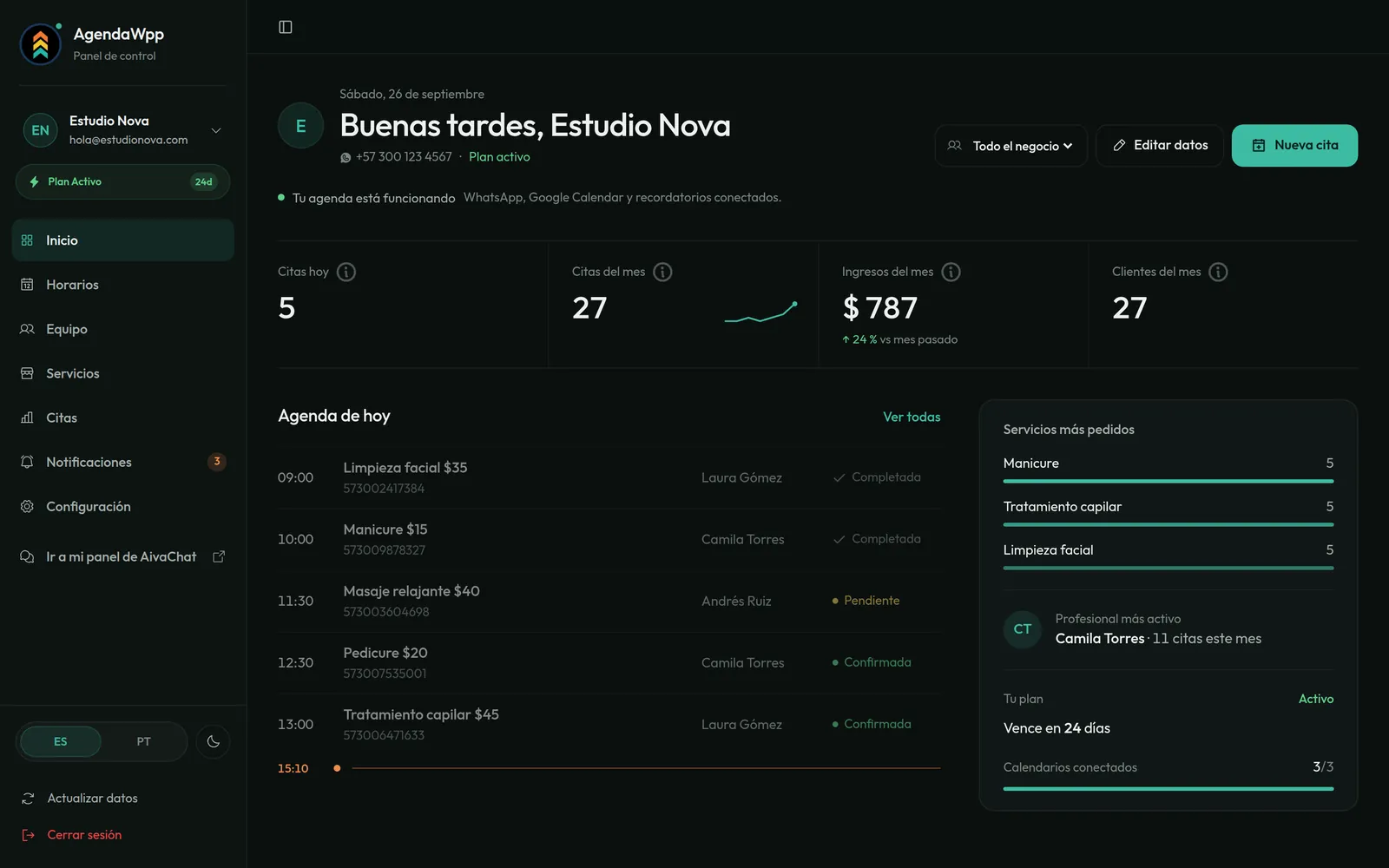
Everything needed for your WhatsApp to book on its own: your number connected to the official Meta API, the WhatsApp Flows form with your logo, your services, staff and hours loaded by us, a synced Google Calendar for each professional, automatic reminders, reschedule and cancel from the chat, the web dashboard with an installable app, and appointment and client stats.
Plus access to our WhatsApp Business platform: a web inbox for you or your team to reply, a contact CRM with tags and custom fields, and campaigns with Meta templates. And WhatsApp support.
What is not inside this plan: the AI assistant that chats with your clients. We do build that one — it comes in the package with the assistant, from USD 79 a month plus USD 200 setup, and if you already have your own we connect it at no development cost. It does not include charging your clients either (you keep collecting payment as always).
Can I charge for the appointment or take a deposit over WhatsApp?
Inside the form, no: WhatsApp Flows does not take payments, so your client books and pays you as always.
But it can be built the other way around. If you already have a payment gateway, we configure your CRM so that the moment the client pays, the booking form reaches them to pick their slot — only people who already paid get to book. That is not part of the plan: it is a custom setup and quoted separately. Tell us which gateway you use →
And if what worries you is no-shows, that is included: automatic reminders at the times you choose, up to 5 per appointment, and your client confirms with one tap from the chat, and no-shows are tracked in your statistics.
Does it include a CRM or a WhatsApp inbox?
Yes. Your number lives on our WhatsApp Business platform, and with it you get the web inbox for you or your team to reply (several people at once), the contact CRM with tags, custom fields and pipelines, and campaigns with Meta templates.
AgendaWPP adds the calendar on top: appointment history per client, attendance, new vs. returning clients, and stats by service and professional. And if you already use another CRM, every appointment created, rescheduled or cancelled can reach it via webhook.
Does it work in my country? And in the United States?
Yes. It works in any country where the WhatsApp Business API is available: all of Latin America, Brazil, the United States and Spain included. Prices are in US dollars, the dashboard is in English, Spanish and Portuguese, and the calendar follows your business's time zone.
Support is on WhatsApp in English, Spanish and Portuguese.
Is it secure? What happens with my data and my clients' data?
We use the official Meta API, so messages travel over WhatsApp's infrastructure and your number is not at risk of being banned. Dashboard access uses a password plus optional two-step verification. Google Calendar connects through Google's official permission, for your calendar only.
Your clients are yours: you can export them as CSV anytime and we never share or sell your data.
What if I cancel? Do I lose anything?
Cancel whenever you want, no penalty: the account stays active until the end of the period you paid. Before leaving you export your clients and appointments as CSV, and your WhatsApp number remains yours.
I already use ManyChat or another WhatsApp platform. Can I use AgendaWPP?
AgendaWPP runs on our own WhatsApp Business platform: we are a Meta Tech Provider, which is how we control the WhatsApp Flows forms end to end. Your number connects to our platform, and one number cannot live on two providers at the same time.
If you use ManyChat, Wati or another provider today, we migrate your number (it stays the same number) and guide you through the switch. What we can't do is install AgendaWPP inside another platform.
Do you do the AI agent? Can you set me up one like the demo?
Yes, we set it up for you. It is the assistant you just tried in the demo: it answers your clients on WhatsApp and gets them booked into your AgendaWPP. We load it with your services, your prices, your hours, your FAQs and your tone.
So there is no misunderstanding: we do not program an artificial intelligence from scratch and we do not train you a model of your own. We configure an assistant on top of models that already exist, so it answers and books with your system.
It comes in the package with the assistant: $79 with Solo, $99 with Business and $129 with Team a month — the assistant adds USD 50 on top of your plan —, plus setup from USD 200 (one-off). It is not in the form-only plan.
We say "from" about the setup because it depends on what you need it to answer, so that price comes out of that conversation. See everything about the assistant. Tell us what you want it to do and we will quote it →
Does it include an AI assistant that talks to my clients?
In the form-only plan, no. As a package, yes. The assistant adds USD 50 a month on top of your plan, so the total is $79 with Solo, $99 with Business and $129 with Team, plus USD 200 setup (one-off). It is the same one as the demo.
The AI model is included in that monthly fee: 500, 1,000 or 1,500 conversations a month depending on the plan. Above that, blocks of 500 for USD 15 a month, and we warn you before you hit the cap.
What every plan does include is the official WhatsApp form: your client taps, picks and is booked. And it is the core on purpose, because a form never invents a time slot you do not have, never gets a price wrong and never freezes at eleven at night. The AI assistant chats and walks your client to that form; it does not replace it.
If you already use an AI agent, it connects at no development cost: through the API, webhooks or the MCP server, your AI checks your availability and books for you. It comes with the Team plan and is available separately on the other two.
Can I connect my own AI or integrate it with my systems?
Yes. AgendaWPP has a public API: your AI agent, your CRM or tools like n8n and Make can trigger the booking form for a client as just another tool, check availability, look up, reschedule or cancel appointments, and receive every created, rescheduled or cancelled appointment via webhook.
We also expose an MCP server to plug it straight into Claude, Cursor, n8n or any compatible agent, and on the WhatsApp platform you can connect your own model (OpenAI, Claude, Gemini) to answer messages.
API, webhooks and MCP come with the Team plan; on the other plans they are enabled as an add-on, message us.
What does AgendaWPP NOT do?
Let us start with what we do build and many people assume we do not: we set up the AI assistant ourselves. It comes in the package with the assistant — $79, $99 or $129 a month depending on the plan, plus USD 200 setup — and if you already have your own, we connect it at no development cost. It simply is not inside the form-only plan.
This is quoted separately:
• Charging inside the form. Connecting your gateway so the form goes out after payment is possible, but quoted separately.
• The Meta Business Portfolio process, if you do not have it. We do it, quoted separately.
And this does not exist today in the product, not even paid:
• Automatic waiting list for when a slot fills up.
• Surveys or review requests after the appointment.
• White label: you see the AgendaWPP brand in your dashboard and when connecting your Google Calendar. Your clients never see it.
Everything else — calendar, services, team, locations, reminders, statistics, CRM and inbox — is included.